


Hyde App Hider - Hide Apps
4.61.78K Reviews
App Specs
- Version
- 1.4.10
- Updated On
- License
- Free
- Downloads
- 10,000,000+
- Developer
- ZipoApps
- Categories
- Personalization
- Platform
- Android
Screenshots
 Analysis by AppCompare
I often hand my phone to someone to show them a photo or look something up, then remember that a screen can reveal more than I intended. That everyday awkwardness is where Hyde App Hider - Hide Apps makes sense: it is a personalization app built around keeping selected apps and personal files out of casual view. I see it as a privacy convenience, not a replacement for careful account security or a guarantee that nobody can access your information.
What a hiding app can—and cannot—do
Hyde App Hider, made by ZipoApps, gives people a dedicated place to put apps they would rather not leave visible in their usual phone layout. That can help when you lend your device, share it with family, or simply want a less cluttered home screen. The practical benefit is discretion: someone browsing the visible apps is less likely to stumble across the items you moved.
It is worth separating that kind of privacy from stronger forms of protection. Hiding an icon can reduce casual discovery, but it should not be treated as a promise that an app, its notifications, or its account data are inaccessible in every situation. I would still use a strong screen lock, keep sensitive accounts protected, and think about what appears on the lock screen. The app is most useful as one part of a sensible privacy routine.
Speed expectations and setup choices
For a tool like this, I care less about flashy animations than about how quickly I can get to the app I need without making the phone feel complicated. The setup described here is based on selecting apps and placing them in a separate space, so the central workflow is easy to understand. A short setup is a real advantage if you only need to tuck away a few apps rather than reorganize your whole device.
There is a trade-off to consider before moving anything important. A hidden copy may not behave exactly like the original in every respect, and you may need to check how you launch it, sign in, and receive any alerts you rely on. Before removing an original from your home screen, test the hidden version with a low-stakes app. Confirm that you can open it and reach the account you expect; only then decide whether it fits your routine.
Everyday use without surprises
Imagine lending your phone to a friend to choose music while you are together. You may be comfortable sharing the phone but not want every personal app sitting in plain view. A hiding tool can make that handoff feel less exposing, while you still keep the phone itself protected. The same logic applies to a shared family device or a personal phone used in a work setting, though work data should always follow your employer’s security rules.
One useful habit is to make a small, deliberate list instead of hiding everything that feels private. Too many tucked-away apps can make your own phone harder to use and increase the chance that you forget where a feature lives. I would start with the few apps that genuinely cause awkwardness when visible, then revisit the list after a week. If an app is rarely opened, hiding it may be worthwhile; if you use it constantly, the extra step may become a nuisance.
Worth Reading Before You Choose

EA SPORTS FC Mobile 26 Is a Bigger Football Game, but It Takes Time

Flipboard Shows What News Apps Must Do Beyond the Feed

Switching to Android Auto Means Rethinking Your Driving Routine

Google Calendar Makes a Crowded Week Easier to Manage

Ludo King Makes the Most of the Minutes Between Plans

Baby Panda World Brings Quick Play to Modern Phones, but Its Game Library Feels Busy
When a different option makes more sense
Android’s built-in home-screen organization is often enough if the goal is simply to reduce visual clutter. Folders, app drawer settings, or a different launcher can tidy a screen without adding another place to manage. Those options are better for someone who wants an orderly layout but does not need a separate hiding workflow. A dedicated hider is more relevant when discreet access is the point, not just a cleaner screen.
For sensitive documents or account credentials, I would compare this approach with the privacy tools already available on the device and with secure storage designed for that kind of material. A hidden app is not automatically the right home for passwords, banking details, or work files. The best choice depends on what you are protecting and from whom: hiding something from a casual glance is a different need from protecting it against someone who can unlock and inspect your phone.
Your Secret Stash
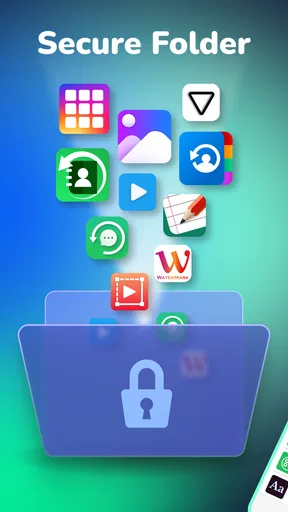
So, what exactly does Hyde App Hider do? In simple terms, it allows you to hide apps you don't want others to see. The interface is slick and straightforward, making it easy for even the least tech-savvy among us to navigate. Once you get it set up, you’ll wonder how you ever lived without it.
Setting It Up
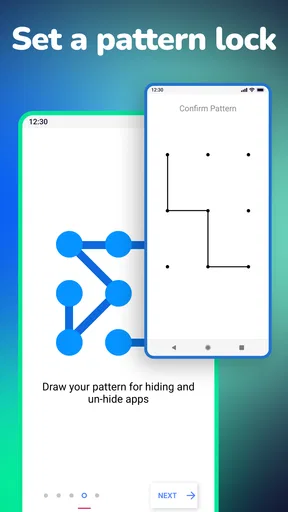
Getting started with Hyde App Hider is a breeze. After downloading the app from the store, you’ll be prompted to create a password. This adds an extra layer of security, ensuring only you can access the hidden apps. Once that’s done, you can start hiding apps with just a few taps.
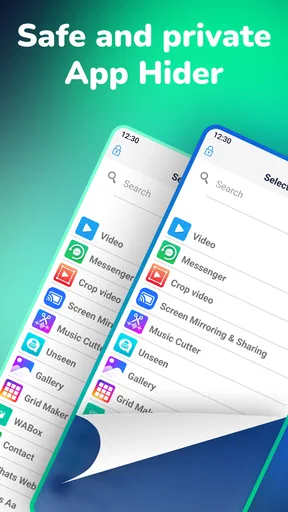
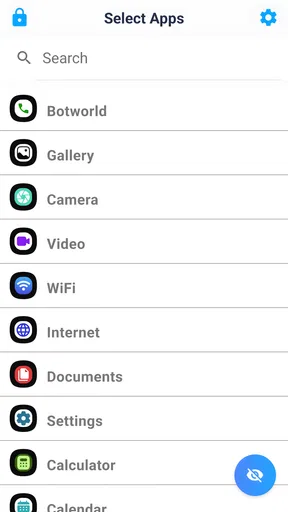
Adding apps to your hidden list is as simple as selecting them from a checklist. The app cleverly clones the selected apps into its own space, leaving the originals in plain sight. You can then delete the original apps from your home screen, keeping your secrets safe and sound.
Features That Stand Out
One of the standout features of Hyde App Hider is its ability to disguise itself. Yes, you heard that right! The app can masquerade as a calculator, so anyone snooping around your phone will be none the wiser. Just open the calculator, enter your password, and voilà — you’re in!
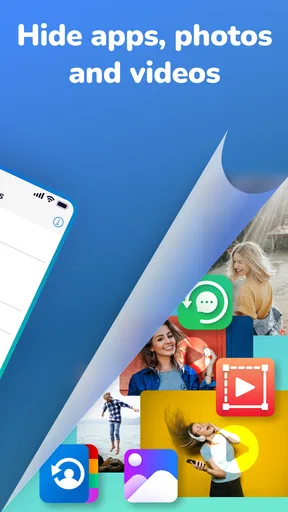
Another feature worth mentioning is the app's ability to hide photos and videos. This is perfect for those personal snaps you’d rather not share with the world. Simply move them to the app’s vault, and they’re hidden from prying eyes.
Performance and Usability
In terms of performance, Hyde App Hider runs smoothly. I didn’t notice any lag or glitches during my time using it. The design is intuitive, and the app does exactly what it promises without any unnecessary frills.
Usability-wise, it’s pretty much plug-and-play. The instructions are clear, and the whole process of hiding apps takes just a couple of minutes. It’s ideal for anyone who values privacy but doesn’t have hours to spend fiddling with settings.
Heavy-use moments and recovery
When you rely on a hidden app throughout the day, convenience matters more than the novelty of hiding it. I would avoid putting a frequently used app behind an extra step unless there is a clear privacy reason. For occasional-use apps, the arrangement is easier to live with; for messaging, navigation, or anything you need at a glance, test the routine first so privacy does not turn into friction.
Before moving several apps or personal files, think through how you would recover access if you changed phones, forgot your password, or needed to reinstall anything. Keep essential account sign-in details somewhere safe outside the hidden space, and do not make the hider the only place where you know how to reach an important service. That simple bit of preparation is especially useful if you use the app for work-related access or travel documents.
I would also make a habit of checking the hidden space after a major device change or app update. A launcher, app permissions, or the way a particular app handles sign-in can affect the experience, so a quick check can catch a problem before you need the app in a hurry. This is not a reason to expect trouble; it is just sensible housekeeping for anything you depend on.
Reliability, device fit, and cost
The app’s current version is 1.4.8 and it supports Android 5.0 and later, which gives it a broad baseline for older Android devices. Still, compatibility alone does not tell me how it will feel on every phone. Performance can vary with device age, available storage, the apps being tucked away, and the way a manufacturer handles background activity. If your phone is already short on space or feels sluggish, keep the setup modest and see how it behaves before moving a large collection.
Hyde App Hider is free to install, with optional in-app purchases ranging from $0.99 to $279.99 per item. I would start with the free experience and decide whether any paid option addresses a need you actually have, rather than paying simply because the app is about privacy. It is rated for Everyone, and its 4.6 average from around 337,000 ratings, alongside more than 10 million installs, suggests that many people have tried it; those figures are context, not a substitute for checking whether its workflow suits your own phone.
One question people often have is whether the calculator disguise makes the contents invisible to anyone with enough time and access. I would treat it as a way to make the app less obvious, not as an impenetrable lock. Another practical question is whether hiding an app means its original can be removed. The setup described here allows that choice, but I would test the hidden version before removing anything you depend on, and keep in mind that a clone and an original may not always behave identically.
Who Needs This?
Now, you might be wondering — is this app for everyone? Well, if you’re someone who shares their phone often or just values an extra layer of privacy, then yes, it’s definitely worth considering. It’s also great for parents who want to hide certain apps from their kids or for professionals who use their personal phones for work.
On the flip side, if your phone is strictly yours and you’re not too fussed about privacy, you might not find it as essential. But hey, it’s always nice to have the option, right?
There is one important exception to the family example: hiding apps is not the same as setting age-appropriate access or supervising a child’s device. If your goal is to manage what a child can open, use the device’s parental controls rather than relying on an app being out of sight. Likewise, anyone who needs strong protection against a person with access to the unlocked phone should prioritize device-level security and consider whether a hidden-app tool is enough for that risk.
Final Thoughts
Overall, Hyde App Hider - Hide Apps is a solid choice for anyone looking to keep certain apps or files out of sight. It’s easy to use, effective, and adds a fun element of secrecy to your phone. Plus, the fact that it can disguise itself as a calculator is just plain cool.
So, if you’re looking for a way to add some privacy to your digital life, give this app a try. Just remember to keep your password safe — that’s the key to your secret stash!
My performance verdict is that this is best approached as a lightweight privacy convenience, not an app I would expect to transform a phone’s speed or security. I did not notice lag or glitches in ordinary use, but that personal impression cannot promise the same result on every device or with every hidden app. Start small, check access and sign-in, and keep your most important accounts protected independently.
For someone who wants a discreet place for a few apps or private media and is comfortable maintaining one more layer in their phone routine, it is worth trying. If you mainly want a tidy screen, prefer built-in organization; if your concern is serious data protection, choose stronger device and account safeguards. That distinction is what makes Hyde useful for the right person without asking it to do a job it was not designed to do.
Pros
- Easy to use interface for quick app hiding.
- Supports multiple app clones effortlessly.
- Offers a password-protected vault.
- Lightweight
- minimal impact on device performance.
- Compatible with a wide range of apps.
Cons
- Limited free features; premium required.
- Occasional bugs with app notifications.
- Can slow down older devices.
- Requires additional permissions.
- Ads can be intrusive without premium upgrade.
FAQs for Hyde App Hider - Hide Apps
What is Hyde App Hider and how does it work?
Hyde App Hider is a privacy-focused application designed to conceal other apps on your device, ensuring your private apps remain hidden from prying eyes. It creates a secure environment where selected apps are stored separately, allowing you to access them only through Hyde. This is particularly useful for maintaining privacy or organizing your apps efficiently.
Is Hyde App Hider safe to use on my device?
Yes, Hyde App Hider is designed with user privacy and security in mind. It uses encryption to protect your data and ensures that hidden apps are not accessible through normal device navigation. However, it is always advisable to download the app from official sources like the Google Play Store to avoid any security risks.
Does Hyde App Hider affect the performance of my device?
Hyde App Hider is optimized to run smoothly without significantly impacting your device’s performance. It operates in the background with minimal resource usage. However, like any app, running multiple processes may slightly slow down older devices. Regular updates help maintain its efficiency and compatibility with newer systems.
Can I unhide apps after using Hyde App Hider?
Yes, Hyde App Hider allows you to unhide apps whenever you wish. The process is straightforward and can be done through the app's interface. Simply navigate to the list of hidden apps and choose the ones you want to unhide. This flexibility ensures you can manage your apps according to your needs.
Is Hyde App Hider compatible with all Android devices?
Hyde App Hider is compatible with most Android devices running Android 4.1 and above. However, functionality might vary slightly depending on the device model and manufacturer customizations. It is advisable to check the app’s description and user reviews in the Google Play Store for any device-specific considerations before downloading.


